
Geooh GO
Mobiltal, LLCEntertainment
4.4121.00 Reviews
- Version
- Varies With Device
- Installs
- 10.00K
- Age Rating
- Teen
Screenshots
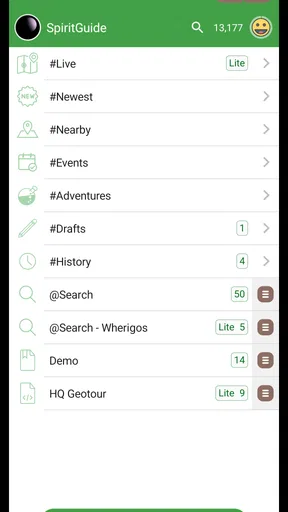
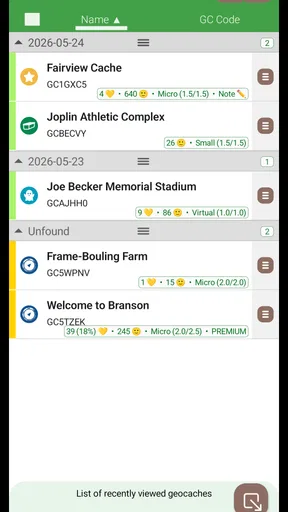
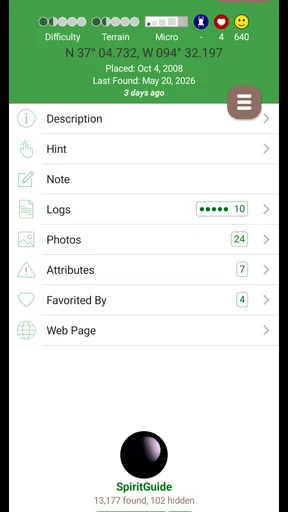
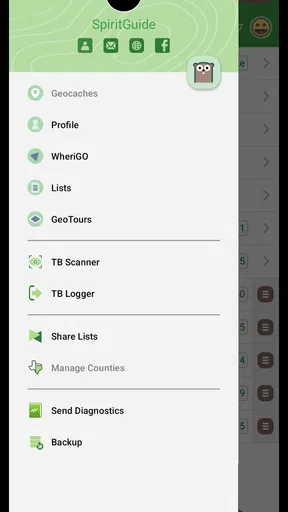
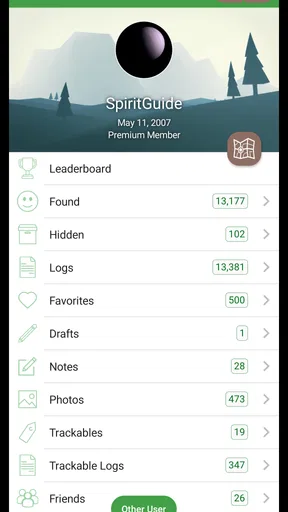
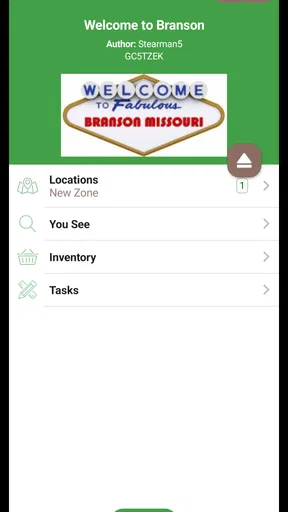
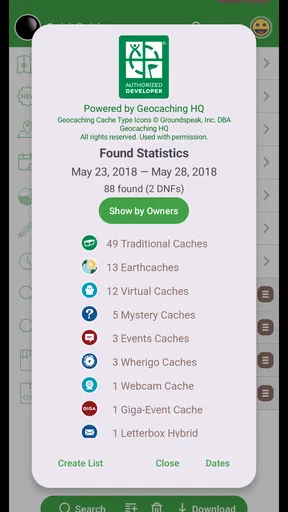
Our Review of Geooh GO
 Analysis by Appyee
Have you ever been out exploring and thought, "Man, I wish I could make this hike more exciting?" Well, that's where Geooh GO comes into play. It's like turning your regular stroll into a treasure hunt, and honestly, who doesn't love a good treasure hunt?
I’d especially consider it for days when I want an outing to have a small, clear goal: choose a cache, navigate to it, search carefully, and leave a log. That rhythm can make a familiar park feel different without requiring a full-day hike. Just remember that GPS gets you close; finding the container still takes observation, patience, and respect for the place around it.
Who gets the most from a geocaching companion
Geooh GO is an entertainment app from Mobiltal, LLC, built around geocaching rather than general trail planning. It is a stronger fit for someone who already enjoys searching for hidden containers, wants cache information close at hand, and expects to spend time outside. If you mostly want a conventional map to get from one address to another, a standard navigation app will likely feel simpler and more direct.
For a first outing, I’d keep the plan modest: pick an accessible cache, check its details before leaving, and allow time to search rather than treating the coordinates as a guaranteed exact spot. A small notebook or pen can also be useful if the cache has a physical log. Those habits make the experience less frustrating, especially when you’re learning how GPS positioning and cache descriptions work together.
Discovering the World with Geooh GO
So, what exactly is Geooh GO? In the simplest terms, it's a geocaching app. For those of you not in the know, geocaching is a real-world, outdoor treasure hunting game using GPS-enabled devices. You get to navigate to a specific set of GPS coordinates and then attempt to find the geocache (a container) hidden at that location. It's like being a modern-day pirate but without the eye patch.
Now, I've tried a few geocaching apps before, but Geooh GO stood out with its user-friendly interface and a bunch of cool features. You can easily search for caches nearby, log your finds, and even track your progress over time. It’s like having a personal adventure diary right on your smartphone.
The practical difference from a basic map is the focus: a map can guide you to an area, but a geocaching tool is meant to support the whole hunt, including choosing a target and recording what happened afterward. The trade-off is that a dedicated app can present more options than a newcomer needs. I’d learn the few actions I use most—finding a nearby cache, checking its information, and logging a visit—before exploring every setting.
The Features that Make It Shine
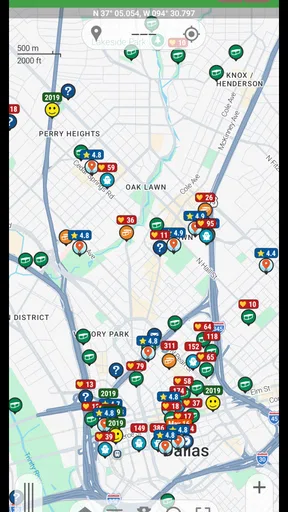
First off, the map feature is pretty slick. It uses Google Maps, which, let's be real, is a solid choice for smooth navigation. You can see caches plotted out on the map, and it’s easy to zoom in or out as needed. Plus, there are filters to help you find exactly what you're looking for—whether it's a specific difficulty level, terrain type, or cache size.
Those filters are most useful when they shape a realistic outing, not when they simply produce the longest list. For example, I’d narrow a search to a manageable difficulty and terrain before setting out with family or a friend who is new to caching. A cache that looks close on a screen may still involve an awkward approach, so I’d read its description and judge the location rather than choosing by distance alone.
Another neat feature is the offline mode. This is a lifesaver if you're out in the middle of nowhere with zero bars. You can download cache locations beforehand and still get your geocaching fix without worrying about losing your way. It's like having a secret weapon in your back pocket.
Offline preparation is worth doing before you leave reliable coverage: save the information you expect to need while you can still load it, then check that it is available before starting the drive or walk. I would not treat offline access as a substitute for sensible planning or as a promise that every online function will work without a connection. Its clearest value is keeping key cache details and locations useful when signal fades.
And let’s not forget the augmented reality view, which is just plain fun. It’s like bringing a little bit of sci-fi into your real-world adventures. You can visualize where caches are using your phone’s camera, making the whole experience a tad more immersive.
I see that camera view as an extra way to orient yourself, not a magic detector that reveals a container through leaves, walls, or the ground. When the visual overlay feels distracting, switching back to the map and looking at the surroundings is the sensible move. Used in short bursts, it can add a playful layer to the search without replacing the basic skills that make geocaching satisfying.
A realistic use is a weekend walk in a park you already know. Before heading out, I’d browse for a suitable cache, check its difficulty and terrain, and save what I need in case reception is patchy. At the location, I’d use the map to get into the right area, then slow down and search with the cache description in mind. Afterward, logging the visit gives the outing a useful finish instead of leaving the result to memory.
Why You'll Love It (or Not)
One thing I genuinely appreciate about Geooh GO is its community aspect. It’s not just about finding caches; it’s about sharing the experience with fellow adventurers. You can write logs for the caches you find, attach photos, and even chat with other geocachers. It’s a nice way to connect over shared passions.
Logs are more than a personal scrapbook: they help make each visit part of a shared activity. I’d keep them clear and considerate, especially when describing a cache’s condition or the search, and avoid including details that would make the hiding place obvious to someone who has not found it. That small bit of care makes the community side more helpful to other people planning their own attempt.
But, as with everything, it’s not all roses. The app does have a bit of a learning curve if you’re completely new to geocaching. While the interface is intuitive for those familiar with similar apps, beginners might feel a tad overwhelmed initially. A bit of patience and a short tutorial will go a long way, though.
The same feature depth that appeals to regular geocachers can be extra work for someone who only wants a casual outdoor activity. If you are unsure whether you enjoy the hunt itself, start with a simple outing and learn the basics before spending time customizing the experience. Someone who wants turn-by-turn directions, a straightforward walking map, or a low-effort activity may be happier with a general navigation app or a simpler way to explore.
There is also a practical difference between planning at home and searching outside. Cache details and a map help you make a plan, but they cannot guarantee that a container will be easy to spot or that a location will suit every visitor. I’d keep expectations flexible, avoid searching in places that feel unsafe or private, and be ready to move on if the surroundings make a find inappropriate.
For a household outing, I’d let one person handle the map while everyone else looks for clues in the environment. That avoids several people staring at screens and turns the hunt into a shared activity. For a solo walk, I’d use the app to set a clear destination but still keep ordinary outdoor judgment in charge: watch footing, respect signs and property boundaries, and do not let a cache search distract from traffic or other hazards.
Geooh GO costs $5.99, with in-app purchases priced from $1.99 to $5.99 per item. That makes it worth deciding whether its geocaching-specific tools suit your routine before buying. It has a 4.4 average from around 430 ratings, with more than 120 written reviews and over 10,000 installs. It is rated Teen, and it was released on May 16, 2019; the listed minimum operating system is version 8.0. Those details help set expectations, but the best measure for me is whether I’ll use the dedicated cache workflow often enough to justify the cost.
Final Thoughts on Geooh GO
In the end, if you’re looking for a way to make your outdoor adventures more engaging, Geooh GO is a fantastic choice. It blends technology with exploration in a way that’s both fun and rewarding. Whether you're a seasoned geocacher or a newbie looking to dip your toes into the world of treasure hunting, this app offers something for everyone.
I’d call it a better match for an active geocacher than for someone choosing an app solely to navigate a hike. Mobiltal, LLC presents a feature-rich approach, and the mix of mapping, cache discovery, offline preparation, logging, and camera-based viewing gives the hunt several ways to stay engaging. In return, you should be comfortable learning a dedicated tool and paying for an app with optional in-app purchases. If your needs are occasional and basic, a simpler alternative may be easier to live with.
As the product develops, the points I’d watch are whether its many tools remain understandable to newcomers and whether offline preparation continues to make outings dependable in weak-signal areas. Those are useful expectations rather than promises about future changes. For existing users, the sensible approach is to keep using the workflow that already works, explore additional options when there is a real need, and check current app details before relying on any change for an important trip.
So, grab your smartphone, lace up those hiking boots, and get ready to discover the hidden treasures around you. Who knows what adventures await with Geooh GO?
Verdict
Strengths of Geooh GO
- Intuitive user interface for easy navigation.
- Offers real-time map updates and alerts.
- Customizable geocaching options available.
- Works offline, ideal for remote areas.
- Supports various geocache types and sizes.
Limitations of Geooh GO
- Limited free features without subscription.
- Occasional GPS accuracy issues reported.
- Interface can be cluttered for beginners.
- Battery drain is noticeable on long trips.
- Some features require stable internet connection.
Similar Picks in This Category
View All
Google Play Games
Google LLC3.9

Netflix
Netflix, Inc.4.8

YouTube Kids
Google LLC4.2

Disney+
Disney4.4

Prime Video
Amazon Mobile LLC4.7

Steam
Valve Corporation3.2
Frequently Asked Questions
What is Geooh GO, and how does it work?
Geooh GO is a geocaching app designed to enhance your outdoor treasure-hunting experience. It uses GPS technology to help users locate hidden containers, known as geocaches, in various locations worldwide. The app provides maps, hints, and logs to guide users in their quest, making it a popular choice for geocaching enthusiasts.
Is Geooh GO available for both Android and iOS platforms?
Yes, Geooh GO is available for download on both Android and iOS devices. Users can find it on the Google Play Store for Android and the Apple App Store for iOS. This cross-platform availability ensures that a wide range of users can enjoy the geocaching experience regardless of their device preference.
What features does Geooh GO offer to enhance the geocaching experience?
Geooh GO offers several features to elevate the geocaching experience, including detailed maps, real-time GPS navigation, offline caching, and photo logging. Additionally, it supports multiple geocaching services, allowing users to integrate their existing accounts and access a vast database of geocaches around the world.
Are there any costs associated with using Geooh GO?
Geooh GO offers a free version with basic features, but users can opt for a premium subscription to unlock advanced functionalities. The premium version includes additional features such as offline maps, advanced search capabilities, and more detailed cache information, enhancing the overall geocaching experience.
How secure is my data when using Geooh GO?
Geooh GO takes user privacy and data security seriously. The app employs encryption and secure logins to protect user data, ensuring that personal information and geocache logs are kept confidential. It is recommended to review the app’s privacy policy for detailed information on data handling practices.
